Restaurant POS Software
A tablet-first operating platform that turns fragmented service, ordering, and payment steps into one connected workflow floor staff can learn in a shift.
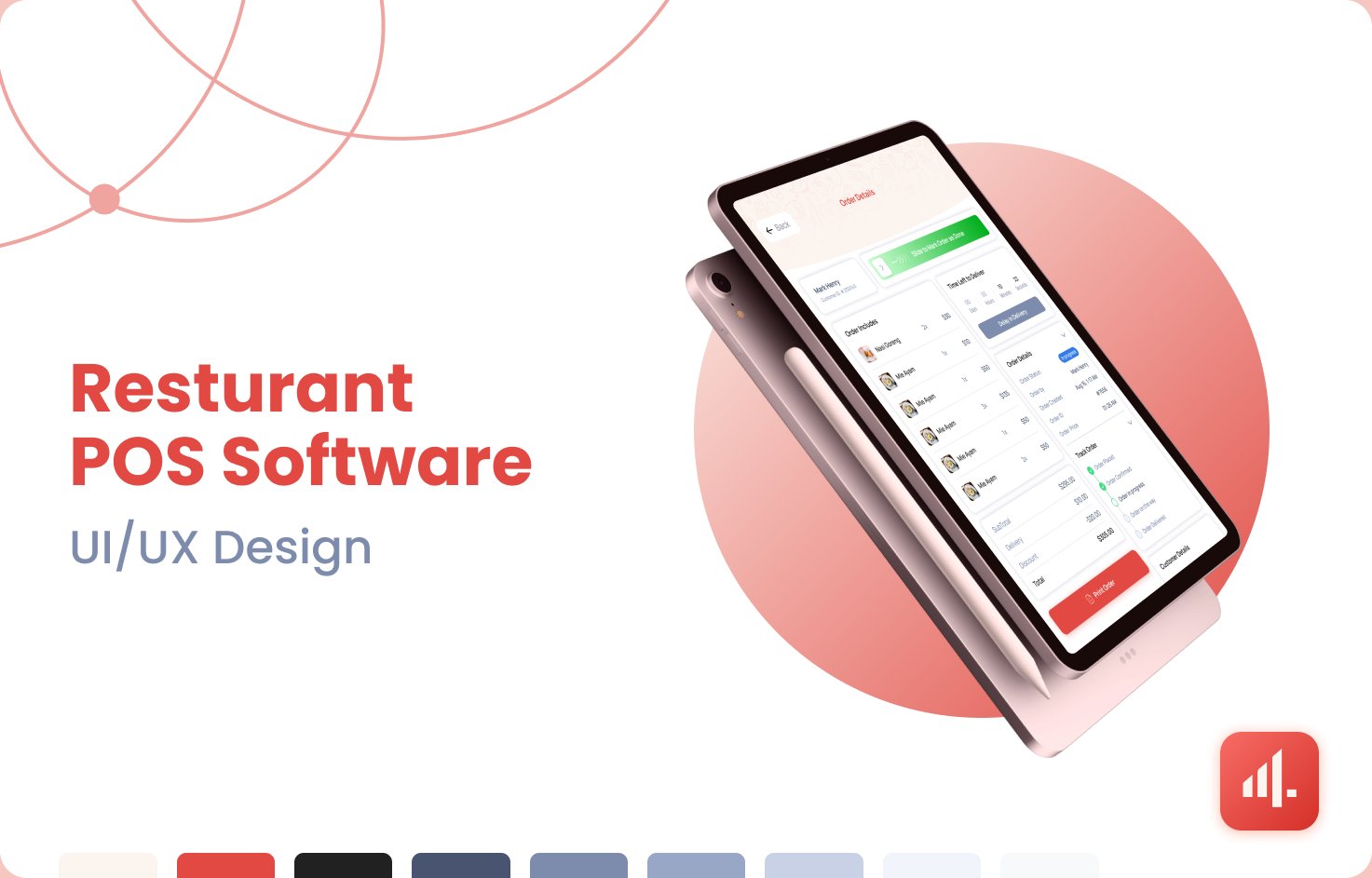
Restaurant POS Software is an operating platform for full-service and quick-service restaurants. It serves front-of-house staff, managers, and kitchen teams, connecting orders, menus, payments, customer records, and daily operations in a single tablet-first product Devket designed and built end to end.
The teams we spoke to were running service across a patchwork of tools, a legacy till, printed tickets, a separate payments terminal, and spreadsheets for menu changes. Every handoff between them was a chance to lose an order or mis-charge a table.
The people most affected were the ones with the least time to spare: servers mid-rush and managers trying to reconcile a night’s takings. New staff took days to become confident, and turnover meant that cost was paid again and again.
Commercially, the gaps showed up as slower table turns, avoidable comps, and end-of-day reconciliation that ran long. Any solution had to work on modest tablet hardware, survive patchy back-of-house Wi-Fi, and stay legible under fluorescent light and motion.
We rebuilt the night around a single order object that every screen reads from and writes to, so the floor, the kitchen, and payments always see the same state.
Inside the product
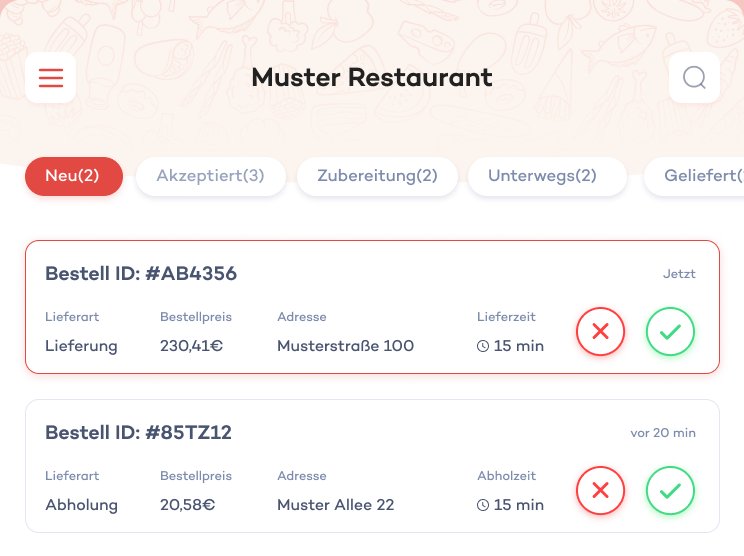
The order queue
Incoming orders arrive in a status-tabbed queue, new, accepted, preparing, on the way, delivered, with delivery type, price, address, and time on one line, and accept or reject as a single tap during a rush.
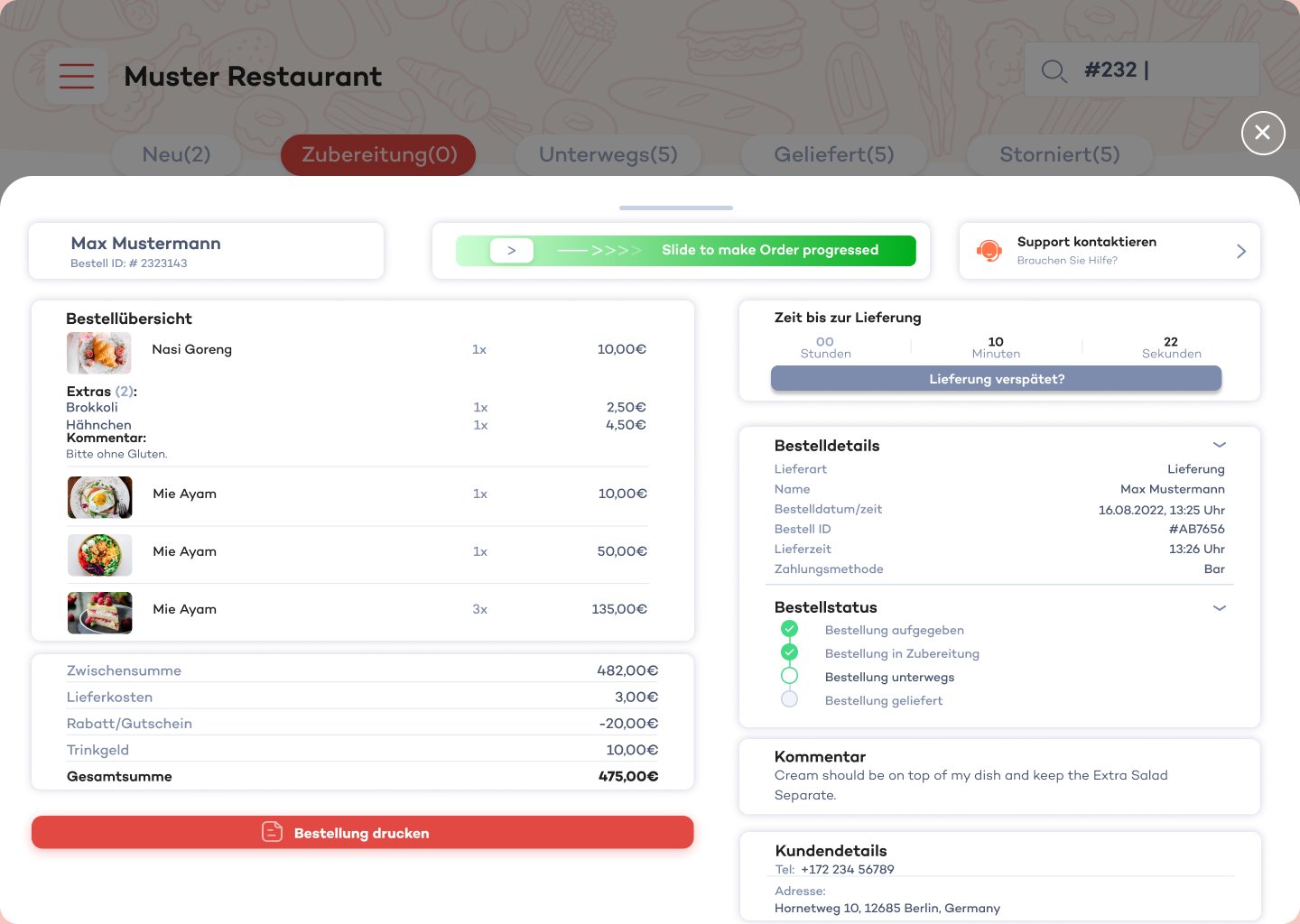
Order details and status
One screen carries the whole order: line items with extras and kitchen notes, totals, the delivery countdown, a slide-to-progress control, the status timeline, and customer details, so no one switches screens mid-service.
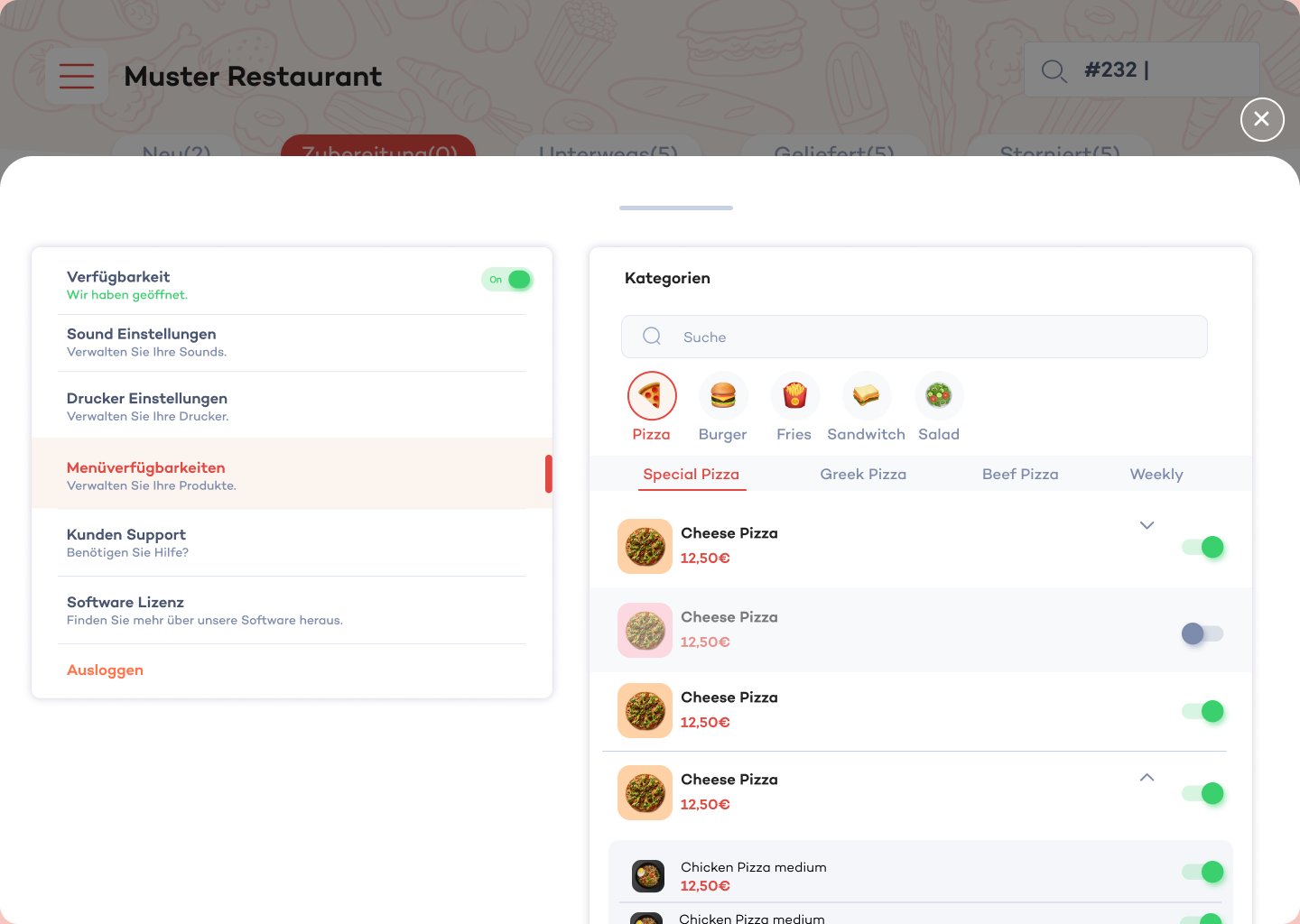
Menu availability
Staff switch dishes and variants on or off by category as stock changes, so the storefront reflects the kitchen without anyone editing a menu file.
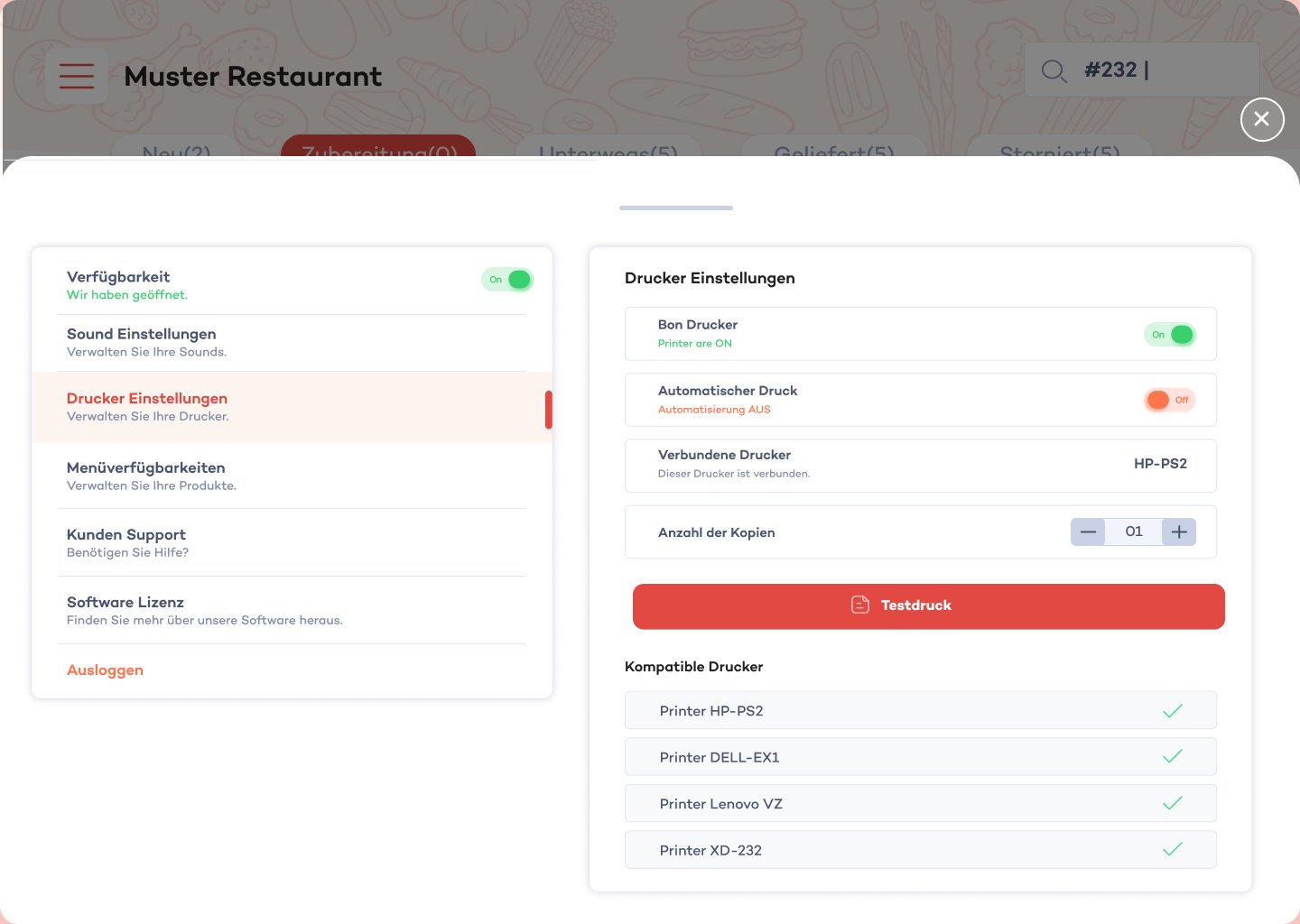
Printers and device settings
Receipt printing, automatic print, connected devices, copy count, and a test print sit in the same settings panel as availability and sound, keeping shift setup in one place.